
The open loop audit prompt that separates real delegation from simulated work + 3 more prompts for overnight execution
Updated
•2 min read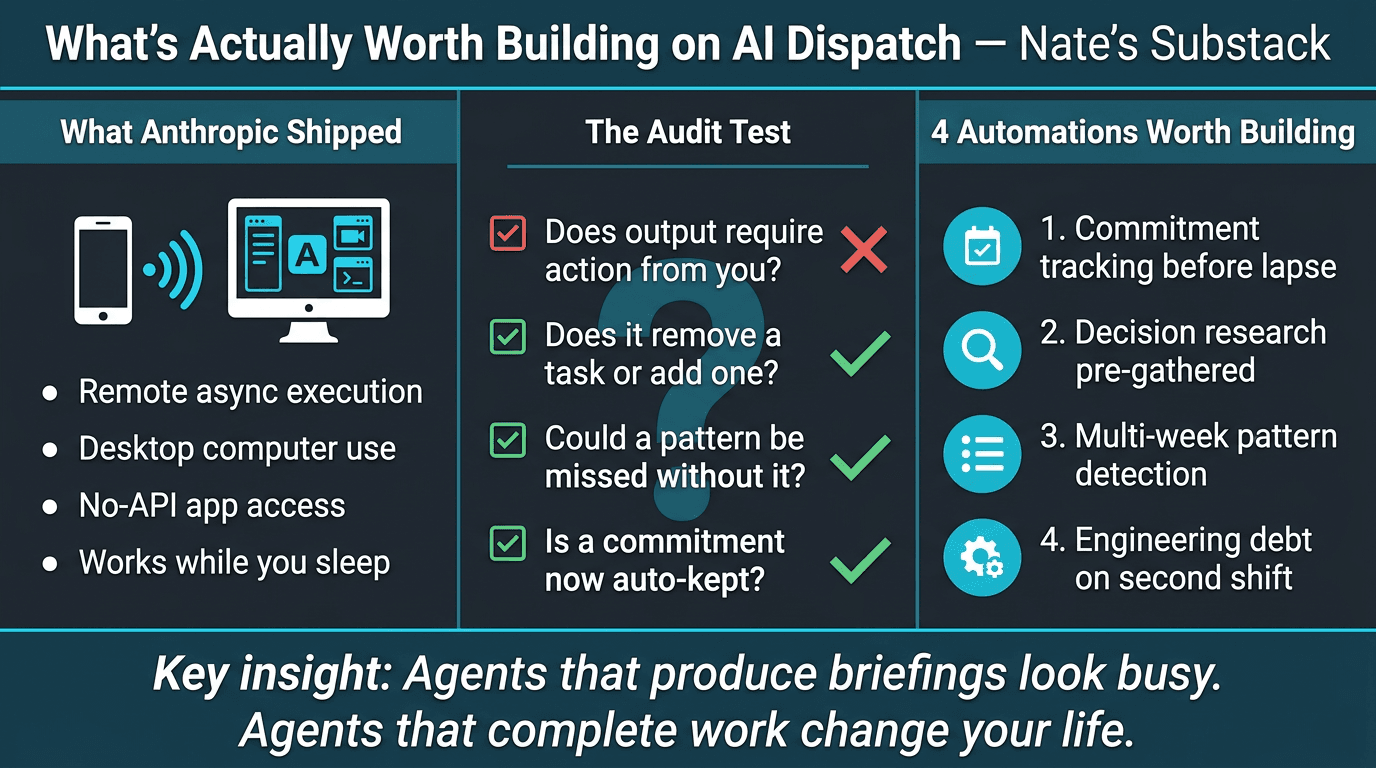
Summary: The Open Loop Audit Prompt — Nate's Substack
Main Thesis
Anthropics new Dispatch + computer use capabilities allow AI agents (Claude) to operate autonomously on your desktop — opening apps, clicking through screens, and completing real work while you're away. The core argument: most people will misuse this by pointing agents at simulated work (briefings, summaries, triage reports) rather than work that actually leaves your desk.
Key Findings
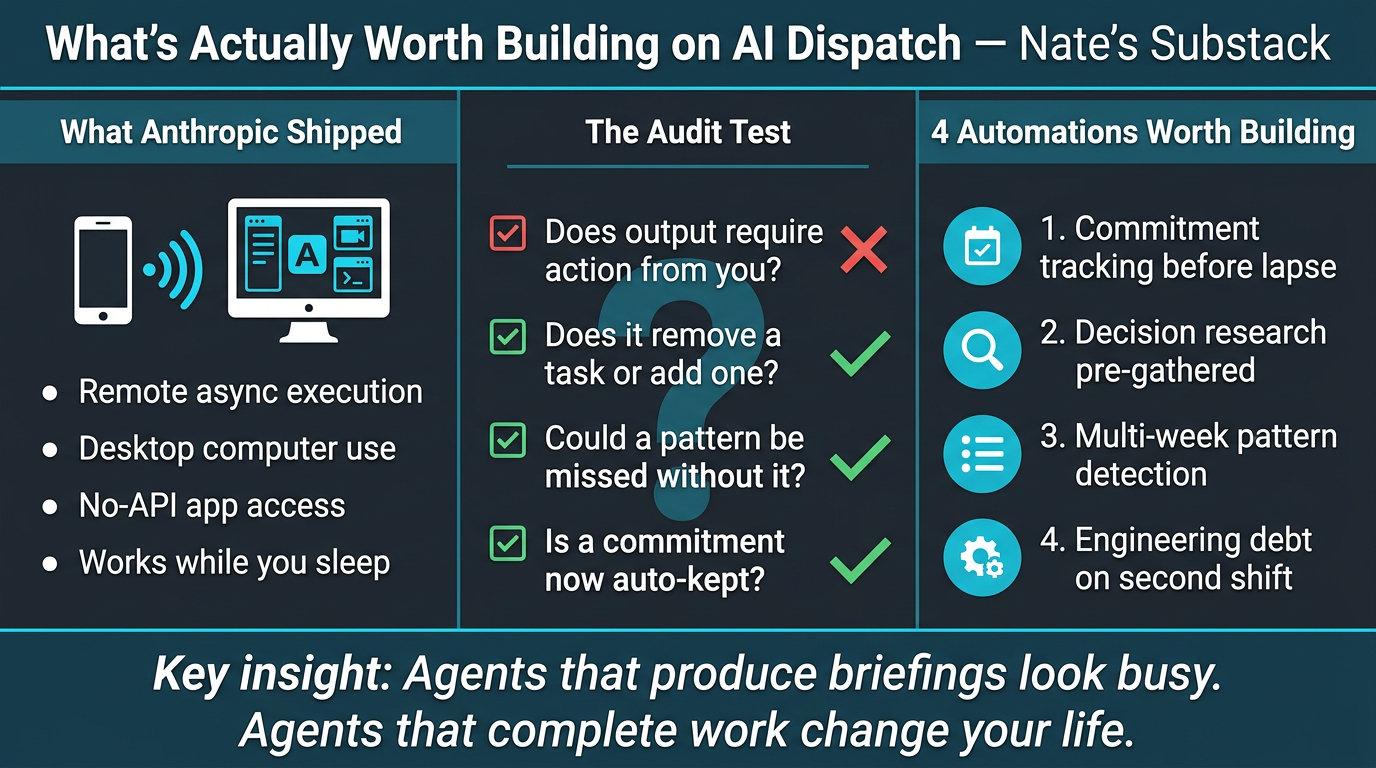
- What Anthropic shipped: Dispatch enables remote, asynchronous agent execution. Combined with computer use, Claude can navigate any desktop app — even those with no API — from a text on your phone.
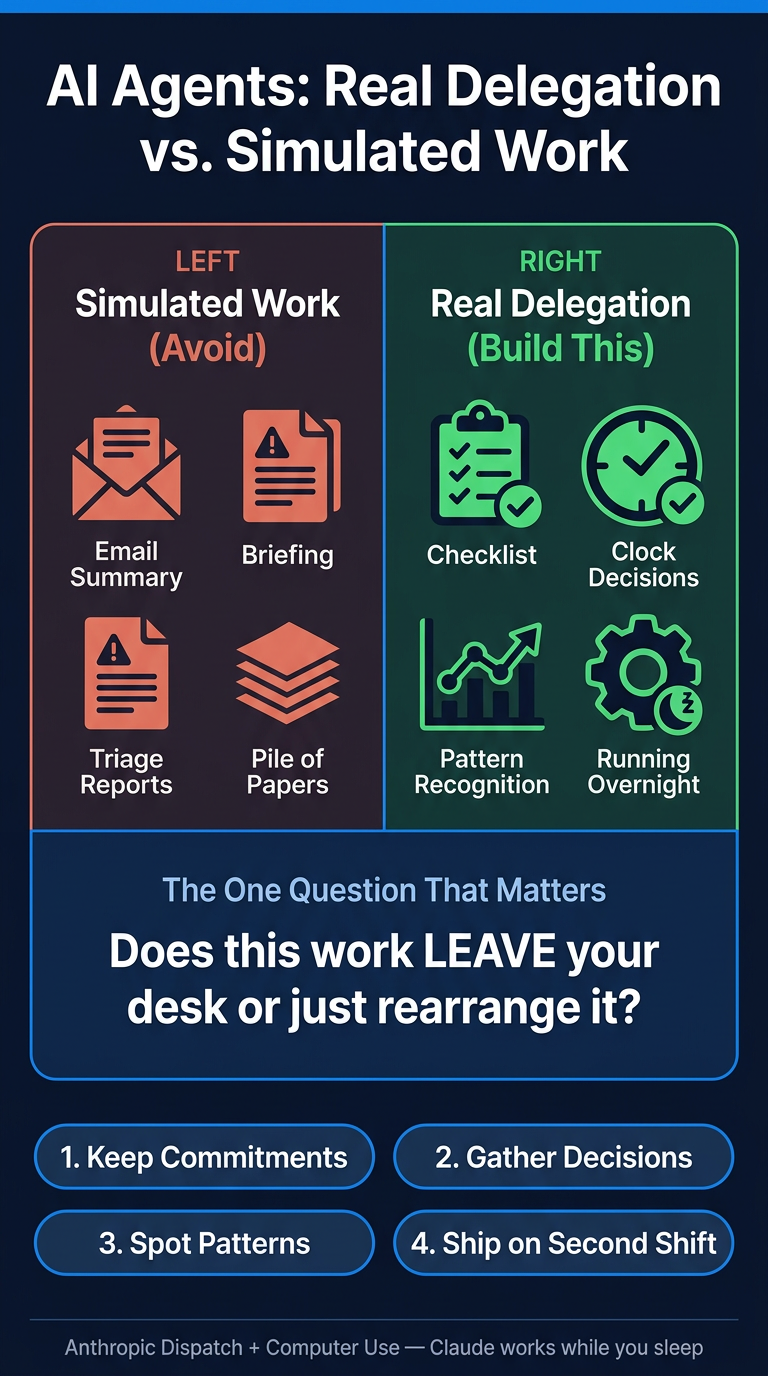
- The critical distinction: Work that lands on your desk (more to read) vs. work that leaves your desk (decisions made, commitments kept, tasks completed).
- The #1 mistake: Building agents that produce proactive briefings and summaries — output that just adds to the pile rather than reducing it.
- What's actually worth automating:
- Commitments that get met before they can lapse
- Decisions that arrive with research already gathered
- Multi-week patterns your brain can't hold (spotted before competitors)
- Engineering debt shipped on a 'second shift' nobody had to hire
- Computer use as dark matter access: Most enterprise software will never get an API. Computer use fills that gap by letting agents operate the UI directly.
- Self-hosted vs. managed: Anthropic's infrastructure approach mirrors every major infrastructure shift of the last 20 years.
Practical Takeaways
- Run an open loop audit — use the provided prompt to distinguish real delegation from simulated work before building any automation.
- Use Dispatch for overnight execution — schedule agents to complete multi-step tasks while you sleep, not just generate reports.
- Four prompt templates provided (paywalled): Dispatch handoff briefs, recurring automation setup, decision research (with anti-confirmation-bias design), and the core audit prompt.
- Test any agent idea with one question: Does this work leave my desk or just rearrange what's already on it?
- Prioritise legacy/no-API tools — computer use unlocks automation for the software stack that traditional integrations can't touch.